Ten years ago, a laser cutter meant a big, expensive machine in a factory or a university workshop. Today, you can set one on a desk, plug it in and turn a plain piece of wood into a name sign, a coaster set or a custom gift in a single afternoon.
That shift is the reason the Creality Falcon laser engraver range has become such a popular name among hobbyists, crafters and small business owners. The official store at crealityfalcon.com brings everything together in one place: the machines, the accessories, the materials and the free software.
In this guide, I will walk you through what the site offers, which Falcon model suits which kind of person, and how to avoid the common mistakes new buyers make. If you have been wondering whether a laser engraver is worth it, keep reading.
What Is Creality Falcon, Exactly?
Creality is a name most people know from 3D printing. The Falcon line is its dedicated family of laser engravers and cutters. The website, crealityfalcon.com, is the official US store, and it also offers regional versions for the EU, UK, Australia, Germany and Canada.
The homepage is organized in a way that makes sense even if you are completely new. You will find sections for:
- Laser engravers, from entry level to professional
- Accessories like air purifiers, honeycomb beds, rotary kits and safety glasses
- Materials such as plywood, acrylic, brass, glass and more
- Free tools, including Falcon Design Space software and a library of design files
- Learning resources, including a blog, an academy and a laser engraver wiki
Think of it as a one stop shop. You do not have to hunt around five different websites to find a compatible lens, a spare filter or a pack of test materials.

The Falcon Lineup at a Glance
One thing that can feel overwhelming is the number of models. Let us break the range into simple groups.
Falcon CR: The Budget Starter
If your main worry is price, start here. The Falcon CR comes in 5W and 10W versions, and the homepage advertises laser work starting from about $119 during sales. It is an open frame design, which means it is lightweight and simple, but it also means you need to take safety seriously with proper eyewear.
This is a good pick if you want to test the hobby before spending big. It is also a nice choice for small, simple jobs like engraving wood slices, leather or cardboard.
Falcon A1 and A1 Pro: Smart, Enclosed and Beginner Friendly
This is the range that gets most of the attention, and for good reason.
Falcon A1 10W is built around ease of use. According to the product page, it arrives fully pre assembled, so you can start creating within minutes of unboxing. A built in HD camera lets you see your material on screen and drag your design exactly where you want it engraved. It uses a CoreXY motion system with speeds up to 600 mm/s, and a Class 1 enclosure filters laser light and stops the machine if the lid is opened. That makes it a strong choice for homes, classrooms and shared spaces.
Falcon A1 Pro 20W steps things up. It pairs a 20W diode laser with an optional 2W infrared module (sold separately) so you can switch between cutting thicker materials and doing fine detail work on metals and plastics. It offers a touchscreen, AI visual auto focus with precision under 0.012 inches, flame detection, tilt and drop emergency stop, and airflow monitoring. If you plan to run it often, those safety features give real peace of mind.
Falcon A1C: Compact and Camera Equipped
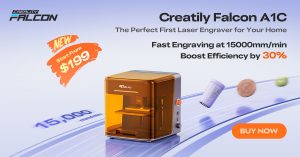
The newer Falcon A1C is available as a Basic version and as a version with an AI camera. It is positioned as an accessible entry into the camera guided workflow, and it has its own accessories, including a 10W diode module, a 1.2W infrared module and a cutting plate.
Falcon2 and Falcon2 Pro: Power for Serious Projects
The Falcon2 series is where things get serious. You can choose from 22W, 40W and 60W options, and the Pro versions add features like auto focus. The homepage notes that the Falcon2 22W can cut through many thick materials at speeds of up to 25,000 mm per minute, which saves a lot of time when you are producing more than one item.
This is the range that small businesses tend to look at. If you are making products to sell on Etsy or at craft fairs, the extra power helps you work faster and handle thicker wood.
Falcon T1: The 5 in 1 Professional Machine
At the top of the range sits the Falcon T1, a 5 in 1 system that lets you choose different laser sources, including 20W diode, 20W fiber, 40W diode, 60W MOPA and 5W UV. It sits at a much higher price point, so it is meant for people who already know they need professional level capability, such as engraving metals with detail.
Which Falcon Should You Buy? A Simple Way to Decide
Here is a quick cheat sheet. Match your situation to the model.
| If you are… | Consider… |
|---|---|
| Curious and on a tight budget | Falcon CR 5W or 10W |
| A beginner who wants safety and simplicity | Falcon A1 10W |
| Planning regular projects and want extra features | Falcon A1 Pro 20W |
| Starting a small craft business | Falcon2 22W or 40W |
| Cutting thick material or producing in volume | Falcon2 Pro 40W or 60W |
| Working with metal at a professional level | Falcon T1 |
A practical tip: do not buy the most powerful machine on day one just because it sounds impressive. Most beginners spend their first month learning settings, materials and design basics. A mid range machine teaches you the same lessons for far less money.
Safety Comes First (Yes, Really)
Lasers are not toys, and the Falcon website treats this seriously. There is even a featured blog article about the safety protection built into the Falcon2, because more power means more responsibility.
Here are habits worth building from the start:
- Never leave a running laser unattended. Wood and paper can catch fire.
- Wear proper eye protection on open frame machines. The store sells laser safety glasses rated for 180 to 534nm.
- Ventilate your space. Burning materials produces smoke and fumes.
- Keep a fire extinguisher nearby and know how to use it.
- Do not engrave unknown materials. Some plastics release toxic gases when lasered.
If you want an easier path, the enclosed A1 and A1 Pro models handle much of this for you with filtered enclosures, lid sensors and flame detection.
Accessories That Make a Real Difference
New buyers often focus only on the machine. Experienced makers know the accessories decide how pleasant the whole experience is.
Air Purifiers and Exhaust Fans
Smoke is the biggest complaint in laser crafting. The Falcon store sells air purifiers in several sizes, plus the new AP1 smoke purifier and an exhaust fan. If you work in a small room or an apartment, this is not optional. Replacement filters are available too, so plan for them in your budget.
Honeycomb Beds and Risers
A honeycomb bed holds your material flat and lets smoke and heat escape from underneath, which gives cleaner cuts and less scorching on the back of your piece. Risers lift your project to the right height, and are especially useful for thicker items.
Rotary Kits
Want to engrave tumblers, mugs or bottles? A rotary kit spins the item as the laser works, so curved surfaces come out evenly. The store lists several rotary options, and the Falcon A1 even has a bundle that includes rotary, risers and goggles.
Air Assist
Air assist blows a stream of air at the cutting point. It clears debris, reduces flames and gives you cleaner edges. The A1 Pro has it built in, and CR lasers can add it as an accessory.
Materials You Can Start With
One of the nicest things about the website is that you can buy ready to use materials designed for these machines, which removes a lot of guesswork.
- Plywood and basswood sheets: the classic beginner choice. They cut well and look great with a simple clear finish.
- Acrylic sheets: available in transparent, frosted and glossy colored options. Perfect for signs, keychains and layered art.
- Brass and aluminum: brass sheets, blank brass coins and aluminum business cards for more advanced engraving.
- Glass and crystal: K9 crystal blocks designed for inner engraving, which create impressive 3D effects.
- Other blanks: stainless steel tumblers, dog tags, stone coasters, and even a cotton T shirt.
There are also “intelligent recognition” sheets that work with the camera systems, and a multi material starter pack that is a smart buy if you want to test a bit of everything.
Real life example: Imagine you want to make personalized wedding favors. Start with a pack of 6 inch basswood sheets. Test a few engraving speeds on scrap pieces, then cut small tags with names and a date. Add a ribbon and you have a keepsake that costs a fraction of the shop price. Many makers begin exactly this way.
Falcon Design Space: Free Software That Lowers the Barrier
Buying the machine is only half the story. You also need software to prepare your designs, and this is where many beginners get stuck.
The Falcon store offers Falcon Design Space, a free design software that you can download from the site. It is built to work with the Falcon machines, and the product pages mention that it supports both Wi-Fi and offline use.
On top of that, the site links to Craftseek, a place to explore free design files. This is a great shortcut when you do not feel confident drawing your own artwork yet. Download a ready made design, adjust the size, choose your material and start engraving.
If you ever get stuck, the Laser Engraver Wiki, the downloads center with firmware and manuals, and the Academy section give you step by step help.
Can You Really Make Money With a Laser Engraver?
Short answer: yes, many people do, but it takes effort.
The site features a “Makers’ Stories” section with people who built income from their Falcon machines, including a story about how one maker’s laser crafts helped grow farm revenue. The reviews and testimonials on the homepage also mention personalized wooden crafts selling well on Etsy and at craft fairs.
Here are product ideas that often work well:
- Custom name signs and door hangers
- Engraved tumblers for gifts and events
- Wooden Christmas cards and ornaments
- Business card holders and branded coasters
- Pet tags and keychains
- Layered wooden map art and home decor
A few tips if you want to sell:
- Pick a niche. “Personalized gifts for pet lovers” sells better than “random engraved items.”
- Calculate your real costs. Include materials, filters, your time and platform fees.
- Make samples first and photograph them well.
- Offer personalization. Customers happily pay more for a name or date.
- Start small. Learn your machine before taking bulk orders.
Pricing, Deals and Where the Value Is
Prices on the Falcon store change often, especially around sales events like the current Halloween promotions. At the time of writing, you can see the A1 10W listed around $466, the A1 Pro 20W around $879, and the A1C with AI camera at $299. Bundles, such as basic, extension, protection and all in one kits, are common and often cheaper than buying every piece separately.
New visitors can also subscribe to the newsletter for a welcome coupon. Because prices and offers change, always check the product page for the current price before you decide.
Money saving tip: If you already know you will need a honeycomb bed, risers and an air purifier, compare the bundle price with buying items one by one. Bundles usually win.
Common Beginner Mistakes to Avoid
- Skipping test cuts. Always test on scrap before using your good material.
- Ignoring focus. A slightly out of focus laser gives weak, blurry results.
- Using the wrong settings. Power and speed depend on the material. Start low and increase gradually.
- Forgetting ventilation. Your nose and your walls will thank you.
- Choosing power over practicality. A 60W machine is wasted if you only plan to engrave small wooden tags.
Final Thoughts
The Creality Falcon range covers almost every kind of maker. Total beginners can start with the simple, enclosed Falcon A1. Budget buyers can begin with the Falcon CR. Growing businesses can move to the Falcon2 series, and professionals can look at the T1.
What makes the website useful is that it is not just a shop for machines. It brings together materials, safety gear, free software, design files and learning resources, so you can go from unboxing to your first finished project without feeling lost.
If you have been thinking about trying laser engraving, here is a simple plan:
- Decide your budget and how you will use the machine.
- Pick the model that fits that use, not the one with the biggest number.
- Add the essentials: eye protection or an enclosure, ventilation and a few test materials.
- Download Falcon Design Space and make your first small project this week.
Ready to start? Visit crealityfalcon.com, explore the Falcon lineup, and see which machine fits your creative plans. Your first engraved piece might be closer than you think.